
Let me start with UI Developer Salary conversation I had last week. A final-year student, let’s call him Rohan, messaged me his resume. He had done a popular online bootcamp, built three clone projects, and was absolutely certain he’d land a ₹8 LPA job immediately after graduation.
His face fell when I asked, “Can you explain why a browser reflows the layout when a font loads?”
He knew React hooks. He knew Tailwind. But he didn’t know how the browser actually builds a page. And in Bangalore’s current market, that’s the difference between a ₹4 LPA struggle and a ₹7 LPA start.
So if you’re searching for “UI developer salary,” you probably don’t want a vague number. You want the honest truth: what you’ll earn as a beginner, how it grows, and—most importantly—what you actually need to do to get there.
Let’s break it down, no corporate sugar-coating.
What Even Is a UI Developer? (Not What LinkedIn Says)
Here’s where most articles get confusing. They lump UI devs into the same bucket as frontend developers or web designers. In reality, a UI developer sits right in the middle.
You’re not a designer (you don’t create the Figma file from scratch). And you’re not a full frontend engineer (you might not touch complex state management or backend APIs).
What you actually do:
Take a designer’s static mockup and turn it into a live, interactive, pixel-perfect, and responsive webpage. You care about load times, hover states, accessibility, and cross-browser consistency.
A good UI developer makes a button feel right. A great one makes it work perfectly on an iPhone 8, a 4K monitor, and a slow 3G connection simultaneously.
In Bangalore’s startup ecosystem, this role is crucial. Companies have realized that a beautiful Figma file is worthless if the implementation is slow or broken on real devices.
Who Should Choose This Career? (And Who Will Burn Out)
Let me be direct. This isn’t for everyone.
You’ll thrive if:
- You have obsessive attention to tiny details (like a 1-pixel alignment issue physically bothers you)
- You enjoy the “puzzle” of making something look identical across Chrome, Firefox, and Safari
- You have patience for repetitive testing and debugging
- You like seeing instant visual results of your work
You’ll struggle if:
- You only want to build “cool” things and hate testing
- You get frustrated by browser quirks or client feedback like “make the logo bigger”
- You expect a purely creative role (you’ll spend a lot of time on technical problem-solving)
- You dislike documenting your code or collaborating with backend teams
In my experience, the people who leave UI development within two years aren’t lacking technical skill. They’re lacking patience for the boring, non-glamorous parts of the job.
The Real Skills That Matter (Not the Tutorial Checklist)
Every beginner asks about skills. But the list most blogs give you is useless. Here’s what the Bangalore job market actually tests for, from entry-level to mid-career.
Technical Skills (Practical Level)
| Skill Area | Beginner (Fresher) | Mid-Level (2-4 years) |
|---|---|---|
| HTML/CSS | Semantic HTML, Flexbox, Grid, media queries, basic animations | Advanced selectors, custom properties, performance CSS, CSS methodologies (BEM) |
| JavaScript | ES6 basics (map, filter, promises), DOM manipulation, event handling | Async patterns, closures, event loop, basic data structures |
| Framework (React/Vue) | Components, props, state, hooks (useState, useEffect) | Custom hooks, context API, performance optimization (memo, useCallback) |
| Version Control | Basic git add, commit, push, pull | Branching strategies, resolving merge conflicts, rebasing |
| Tooling | Using npm, running a build script | Webpack basics, Vite, environment variables |
| Testing | Not expected for freshers (bonus if you know) | Unit testing with Jest, React Testing Library |
The Soft Skill Nobody Tells You About
Handling vague feedback. A designer will say, “Make it pop.” A product manager will say, “This feels slow.” Your job is to translate that into specific technical action. This takes practice, and no course teaches it.
Also, learn to say “no” politely but firmly when a late-stage design change would require rewriting three days of work. Junior devs agree to everything. Senior devs push back professionally.
Eligibility & Learning Paths (Degrees Are Not Mandatory)
Here’s a truth that might surprise you: In Bangalore’s product startups, I’ve hired self-taught devs from tier-3 cities who outperformed computer science graduates from top colleges.
Degrees that help (but aren’t compulsory):
- B.Tech/B.E. in CS/IT/ECE
- BCA or MCA
- B.Sc in Computer Science
What actually matters more than a degree:
- A portfolio with 3-4 well-documented, responsive projects
- Clean, commented GitHub code
- Understanding of one framework deeply (not three superficially)
- Basic knowledge of HTTP requests and REST APIs
Alternative routes I’ve seen work:
- 6-month intensive bootcamps (if you already have logic skills)
- 1 year of self-study with mentored projects
- Switching from QA or technical support internally at a company
One of my best hires was a former civil engineer who learned by recreating Dribbble designs every night for 10 months. No degree, no bootcamp. Just relentless practice and a willingness to accept brutal feedback.
Step-by-Step Career Roadmap (Realistic Timeline)
Stop looking for a 3-month shortcut. It doesn’t exist for most people.
Month 1-3: Foundations
Learn HTML, CSS, and basic JavaScript. Don’t touch React yet. Build a simple personal website and a responsive landing page from scratch. No frameworks.
Month 4-6: JavaScript Depth
DOM manipulation, events, fetch API, promises. Build a small app like a to-do list or a weather dashboard using a public API.
Month 7-9: Framework & Tools
Pick one framework (React is safest for Bangalore’s job market). Learn components, state, props, and hooks. Build a medium project like an e-commerce product page with a cart.
Month 10-12: Portfolio & First Applications
Build one polished, original project (not a tutorial clone). Contribute to an open-source project on GitHub. Start applying, but also start freelancing on platforms like Contra or Upwork for small gigs (₹5k-15k projects).
Year 2-3: First Job Growth
You’ll learn more in your first 6 months on the job than in 2 years of self-study. Focus on code reviews, performance debugging, and understanding the product, not just the code.
Year 4 onward: Specialize (design systems, performance, or accessibility) or move toward full-stack/frontend architect roles.
Best Learning Resources (What Actually Works)
Free (Start Here):
- The Odin Project – Best structured path, no video fluff
- freeCodeCamp – Responsive web design and JS algorithms sections
- Kevin Powell (YouTube) – For CSS mastery, no shortcuts
- Frontend Mentor – Realistic challenges with designs
Paid (Worth the Money):
- Josh W. Comeau’s CSS for JavaScript Developers – Expensive but transformative
- Kent C. Dodds’ Epic React – For deep React understanding
- Frontend Masters – Subscription, but high-quality advanced topics
Practice & Community:
- Frontend Practice – Real website clones
- iCodeThis – Daily UI challenges
- Bangalore Frontend Developers (Meetup/WhatsApp groups) – Local job referrals happen here
What to skip: Any course promising “become a UI developer in 4 weeks” and random YouTube tutorials that build the same todo app with outdated syntax.
Common Beginner Mistakes (Learn From Others)
I see the same four mistakes constantly in portfolios and interviews.
- Tutorial hell with no original work. You did 12 bootcamp projects? Great. Now delete them and build one thing from scratch without a video. That’s what impresses hiring managers.
- Ignoring responsive design. Your portfolio looks broken on my iPhone. I won’t call you back. Always test on actual mobile devices, not just Chrome DevTools.
- No version control or messy commits. A GitHub with one massive commit saying “final project” tells me you don’t know how to work on a team.
- Applying before you’re ready. Attending interviews you fail damages confidence. Wait until you can comfortably solve a basic array manipulation problem on a whiteboard (or Google Doc) without panicking.
UI Developer Salary in Bangalore: The Honest Breakdown
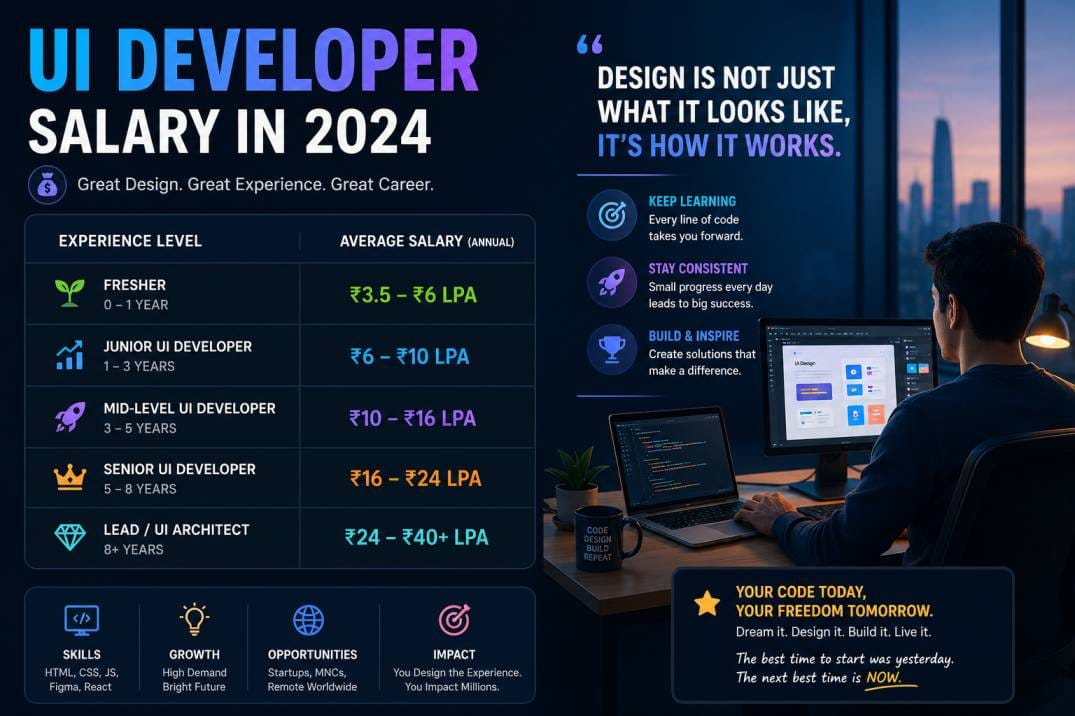
Now for what you came for. These are real ranges I’ve seen in 2025-2026 across product companies, service-based firms, and startups in Bangalore. Adjust expectations downward for non-tech companies and upward for top-tier product companies.
By Experience Level
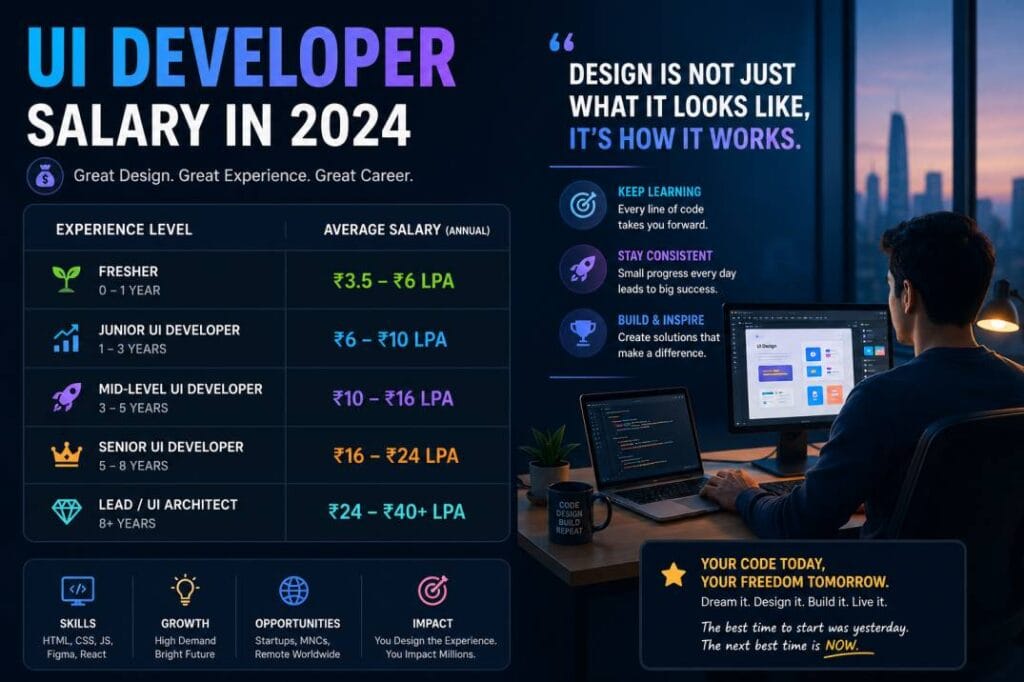
| Level | Experience | Salary Range (Annual) |
|---|---|---|
| Fresher / Intern | 0-6 months | ₹3.0 – 4.5 LPA |
| Junior UI Developer | 1-2 years | ₹4.5 – 7.0 LPA |
| UI Developer | 2-4 years | ₹7.0 – 12 LPA |
| Senior UI Developer | 4-6 years | ₹12 – 20 LPA |
| Lead / Principal | 6+ years | ₹20 – 35 LPA (plus ESOPs at startups) |
By Company Type in Bangalore
- Early-stage startup (<50 people): ₹4-8 LPA (plus ESOPs, less cash)
- Series A/B startup: ₹8-15 LPA
- Service-based (TCS, Infosys, Wipro): ₹3.5-6 LPA for juniors
- Product company (Medium-sized): ₹6-12 LPA
- Big tech / FAANG (Amazon, Microsoft, etc.): ₹15-30 LPA for mid-level
Freelancing / Remote for international clients:
15−40perhourdependingonskill.Consistentremoteworkat25/hour could earn ₹30-40 LPA, but you’ll have no benefits, job security, or paid leave.
The Bangalore premium is real. The same role in Pune or Hyderabad might pay 15-20% less. But your rent in Bangalore will also be higher. Factor that in.
Realistic Career Advice (What I’d Tell My Younger Self)
Competition is high, but not for good developers.
Bangalore has thousands of entry-level applicants who all built the same Netflix clone from a tutorial. The competition thins dramatically once you demonstrate genuine problem-solving and debugging skills.
Time investment is often underestimated.
Most people need 9-12 months of consistent (15+ hours/week) self-study to become job-ready if starting from zero. Some faster, some slower. Be honest with yourself.
Long-term sustainability requires adaptability.
The specific tools change. jQuery faded. Grunt and Gulp faded. Even React will fade eventually. If you’re only comfortable with one framework, you’ll struggle every 3-4 years. Learn fundamentals (JavaScript the language, browser rendering, HTTP) deeply, and you’ll adapt quickly.
What actually matters for success:
- Being reliably responsive to messages and deadlines
- Writing code that the next person can understand
- Knowing when to ask for help (not suffering silently for 3 days)
- Building a small network of peers who refer you to jobs
I’ve seen brilliant coders fail because they were difficult to work with. I’ve seen average coders build stable, well-paying careers because they communicated clearly, documented their work, and showed up consistently.
FAQ (Real Questions from Beginners)
Q: Can I become a UI developer without a computer science degree?
Absolutely. One of my most successful mentees has a degree in Commerce. But you’ll work harder to prove yourself initially. Your portfolio and GitHub become your degree.
Q: Is the UI developer job market in Bangalore saturated for freshers?
Yes, for low-skill applicants. No, for people who genuinely understand responsive design, semantic HTML, and modern JavaScript. The bar has risen. “Knowing React” isn’t special anymore. Knowing why React renders the way it does? That gets you noticed.
Q: What’s the difference between UI developer and frontend developer salary?
At junior levels, almost the same (₹4-7 LPA). At senior levels, frontend developers (who handle state management, APIs, and complex logic) earn 20-30% more. UI developers who specialize in accessibility or design systems can close that gap.
Q: Should I learn React, Vue, or Angular for Bangalore jobs?
React has the most openings, especially in startups and product companies. Vue is growing but fewer roles. Angular is mostly in large enterprise (Oracle, IBM, etc.) with higher stability but slower innovation. For maximum options, learn React first.
Q: What’s the one interview question that filters out unprepared candidates?
“Explain what happens when you type a URL into a browser and press Enter.” It tests DNS, TCP, HTTP, rendering, and JavaScript execution. Most beginners freeze after “the browser sends a request.”
Q: Is UI development a dying career because of AI tools?
No, but it is changing. Tools like v0 and Cursor generate boilerplate UI code quickly. The human value shifts to: reviewing AI-generated code for correctness, accessibility, and performance—and solving the weird edge cases AI misses. Junior roles may shrink, but skilled UI developers who understand why code works will be fine.
Conclusion: Your Next Step
Stop reading salary articles for motivation. One hour from now, you’ll forget the numbers. What sticks is whether you open VS Code today.
Here’s a practical plan if you’re serious:
This week: Pick a simple website (your favorite blog or a product page). Recreate the homepage in plain HTML and CSS. Don’t look at the source code. Struggle through it.
This month: Learn JavaScript array methods and DOM manipulation until you can build a simple interactive component without confusion.
This quarter: Finish one complete, responsive project and put it on GitHub with a good README.
The salary you want follows the skill you build. Always in that order. Bangalore pays well because Bangalore expects a lot. Meet those expectations, and the numbers will handle themselves.
If you have specific questions about your situation or a portfolio review, drop a comment below. I read every one.